Daily goal
Set a goal on first launch (2,000 ml by default) and watch an animated glass fill toward it through the day.
Rill: Water Tracker
A calm, minimalist water tracker for iPhone. Log a drink with one tap or a tactile slider and watch your glass fill up. Free, with no ads, no accounts and no tracking.
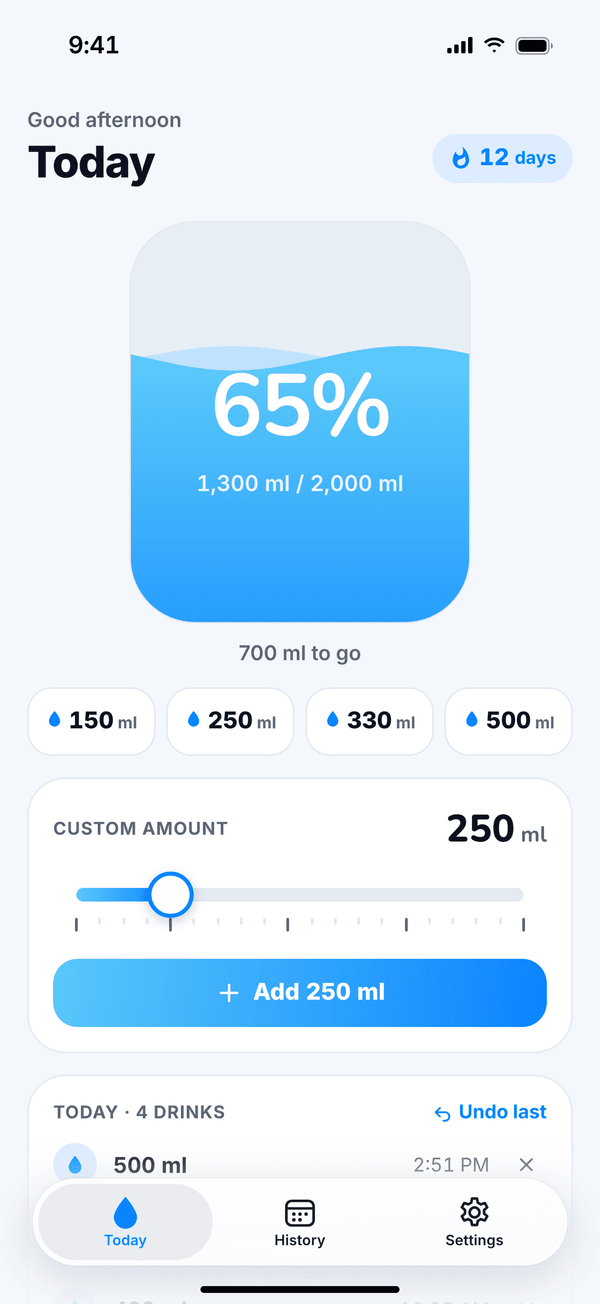
Real screens from the app, not mockups.
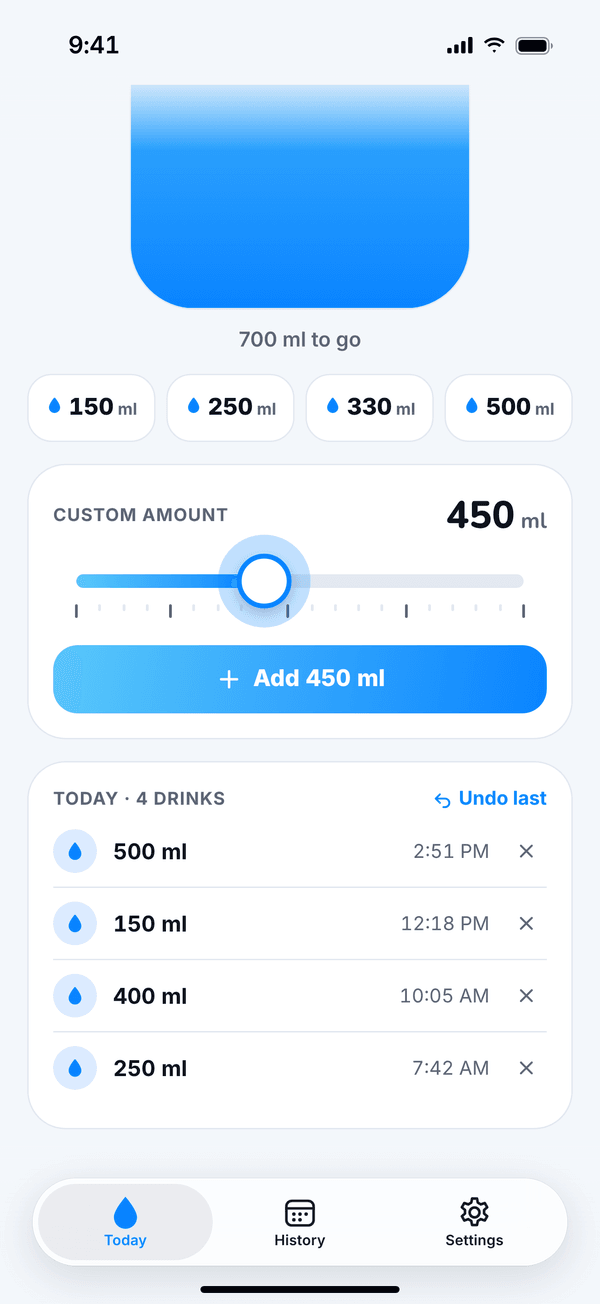
Tap 150, 250, 330 or 500 ml, or drag the slider to any amount. It clicks with a gentle haptic on every step, and Undo is always one tap away.
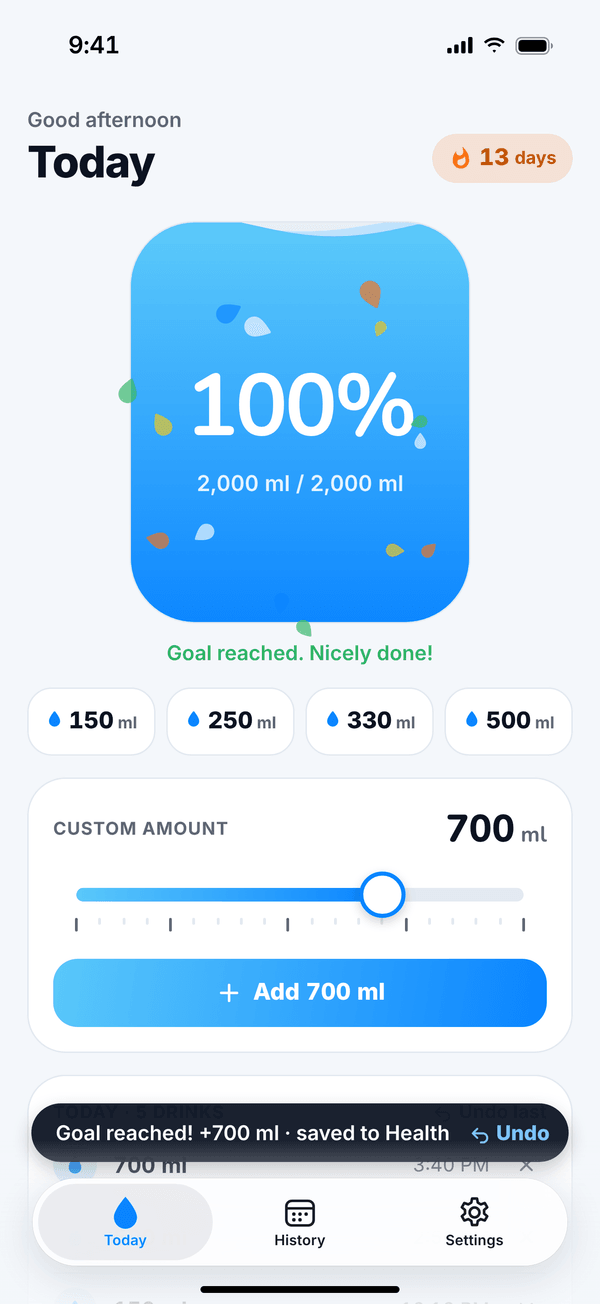
Hit your goal and the glass tops off, drops burst out and your streak ticks up, with a satisfying haptic to match.
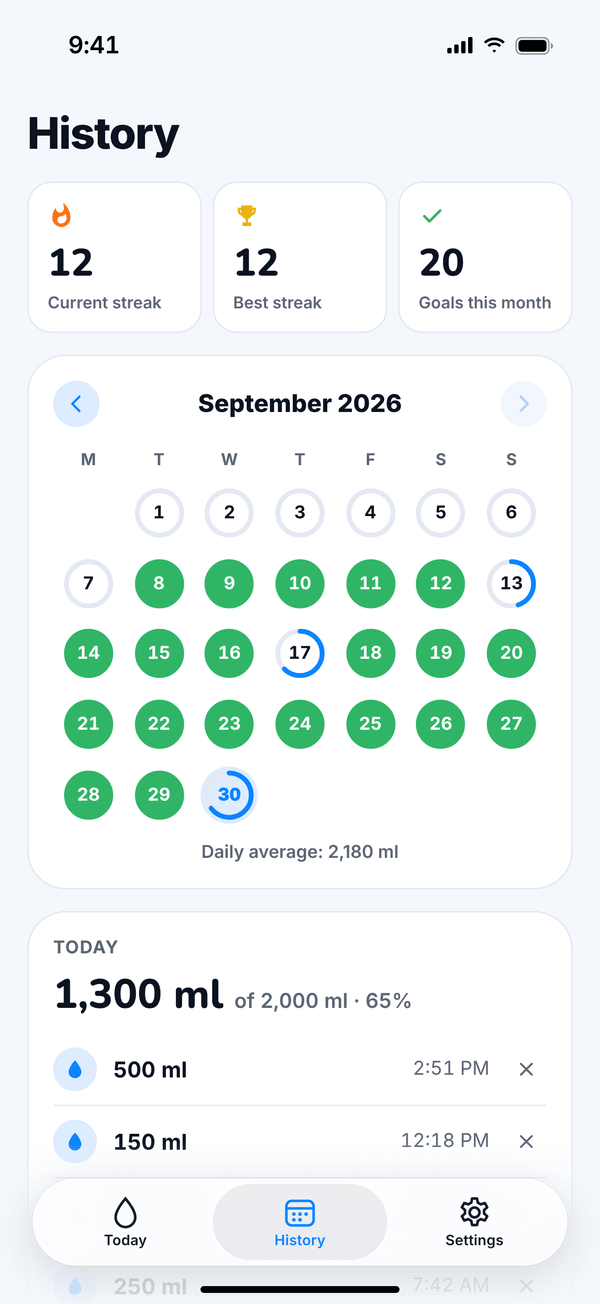
A monthly calendar with a progress ring for every day. See your current streak, best streak, goals met this month and your daily average.
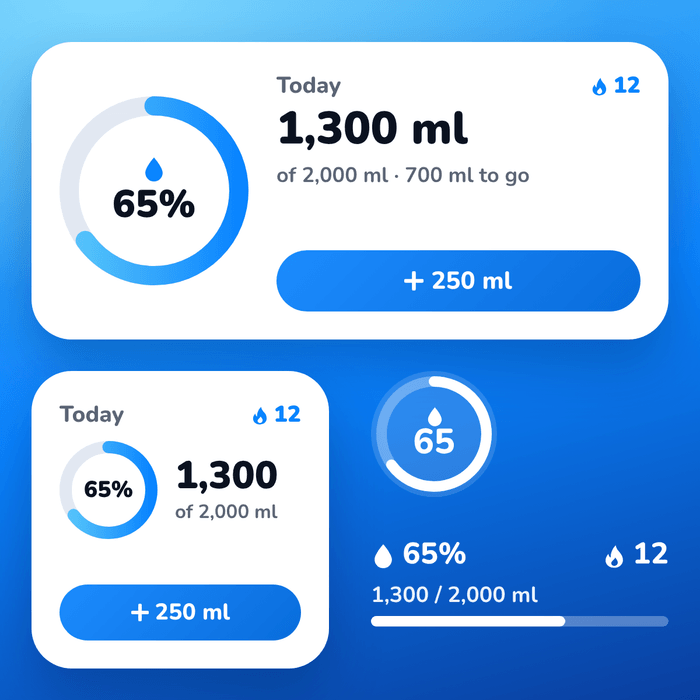
See today’s progress and streak at a glance, and log a glass right from the Home Screen widget without opening the app.
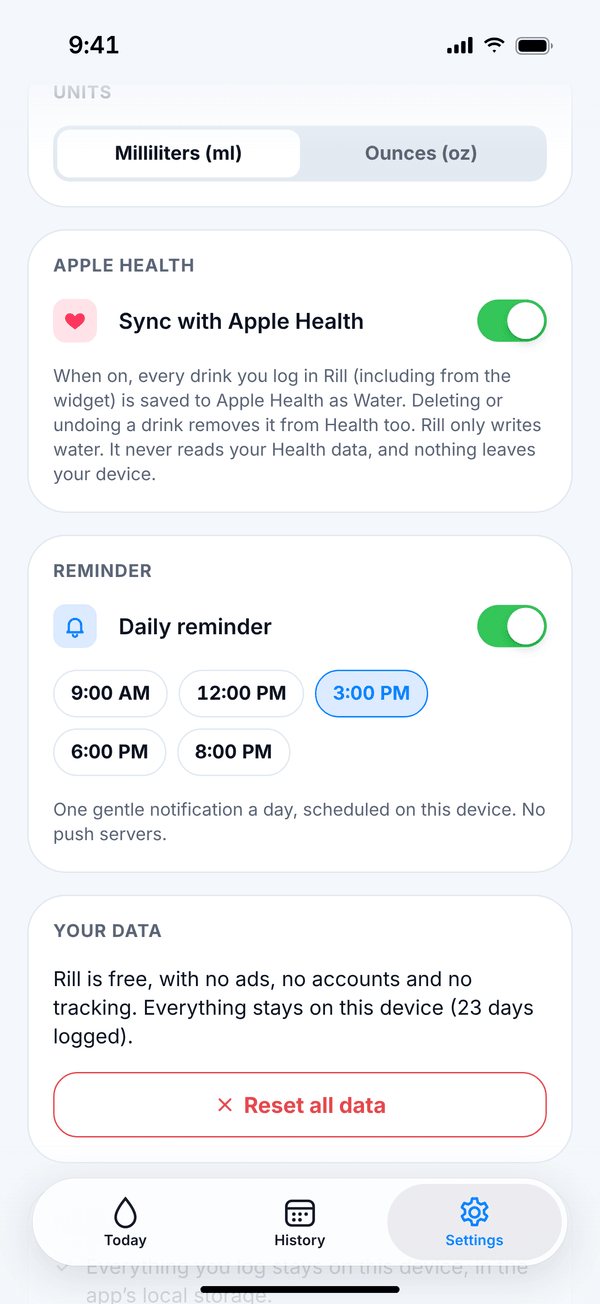
No account, no cloud, no ads. Turn on Apple Health sync if you want your water in Health, and set one gentle daily reminder.
Rill keeps the part of hydration tracking that works (a goal, a glass that fills up, a streak to protect) and leaves out everything else.
Set a goal on first launch (2,000 ml by default) and watch an animated glass fill toward it through the day.
Tap a quick-add size or drag the slider, which clicks with a gentle haptic at every step. Undo in one tap.
A monthly calendar shows a progress ring for every day, plus your current streak, best streak and goals met.
See today’s progress and streak at a glance, and log a glass right from the Home Screen without opening the app.
If you allow it, Rill saves the water you log to Apple Health. It’s optional, and you can turn it off at any time.
No sign-up, no cloud, no analytics. Everything you log stays on your iPhone.
No ads, no subscriptions and no in-app purchases. Every feature is included for everyone.
Switch units any time. Rill follows your iPhone’s light or dark appearance.
Rill has no accounts, no servers and no trackers. Your drinks, goal and streaks never leave your device, except for what you choose to save to Apple Health.
Read the privacy policy →